
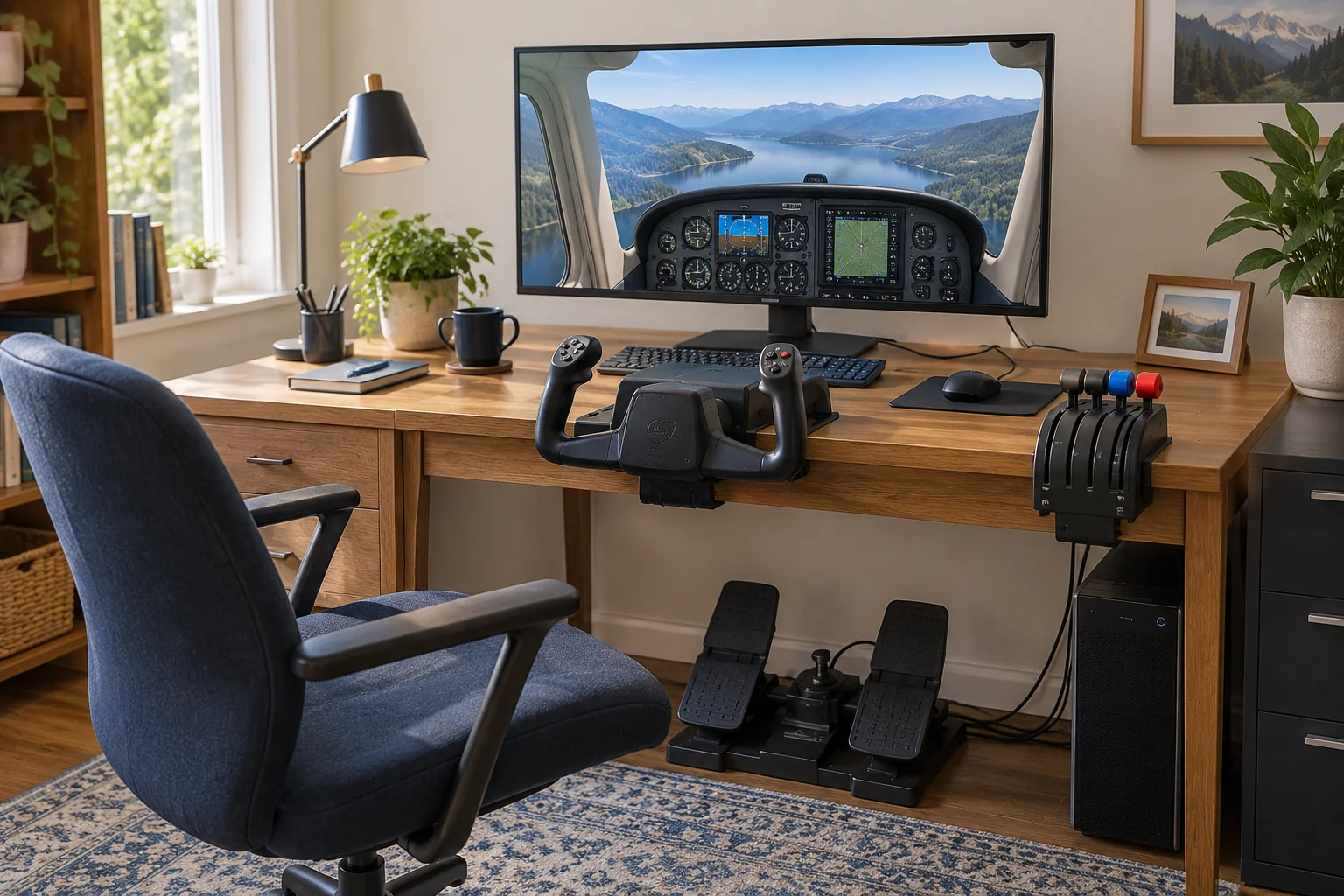
Research-based recommendations. We have not personally tested this equipment. No affiliate links are active.
What do you need for a home flight simulator setup?
For a satisfying light-aircraft setup, combine a yoke, separate engine controls, rudder pedals with toe brakes, secure mounts and simulation software. This kit assembles those pieces from different makers for recreational single-engine piston flying on an existing Windows PC. Both paths favor precise, adjustable controls over a plastic all-in-one starter package.
You already need a compatible gaming PC, readable monitor, sturdy desk, stable chair, keyboard, mouse and speakers or headphones. The premium path is a fixed installation with active yoke and pedal loading; the value path keeps a force-feedback yoke but uses quality passive pedals. This is not a jet cockpit, VR build, complete computer purchase or approved pilot-training device.
THE EQUIPMENT LIST
One function. Two quality paths.
Choose one option per row, using the quantities shown. A shared choice suits both paths. Prices were checked October 6, 2026. US dollars and euros are shown separately; quote-only components are not treated as free.
| Function and quantity | Premium | Best value |
|---|---|---|
| Yoke · one | BRUNNER CLS-E MK II YokeQuote required | MOZA AY210 base + MFY yoke$828.00 |
| Throttle / propeller / mixture · one | Virtual Fly V3RNIO+€995.00 | Honeycomb Sierra TPM$249.99 |
| Rudder and toe brakes · one set | BRUNNER CLS-E MK II Rudder PedalsQuote required | MFG Crosswind V3 — TBM930 footrest pack$344.11 |
| Yoke mounting | Bolted support and seat restraintInstallation quote required | MOZA Table Clamp for Yoke — AY210$19.00 |
| Simulator license · one | Microsoft Flight Simulator 2024 — Standard, PC$69.99 | Same shared choiceSee the premium column |
| Display and everyday controls | Use your existing screen, keyboard and mouseRequired · replacement cost excluded | Same shared choiceSee the premium column |
Choose one path or mix compatible components. Both require a suitable existing PC, display, desk and chair. The value yoke mount is priced separately; premium mounting needs a specific quote.
Read the mounting and included-parts checklist before ordering. The screen and everyday controls are prerequisites, not an extra paid bundle.
Why these two paths?
Spend on what you move. A motorized yoke can make simulated trim and changing control forces more tangible. The premium BRUNNER hardware offers refinement and adjustable loading throughout the main controls. MOZA plus MFG retains the essential experience at a lower cost, with a simpler passive pedal mechanism.
For this piston-aircraft brief, push-pull throttle, propeller and mixture controls make more sense than an airliner quadrant. Honeycomb Bravo and Virtual Fly TQ6+ remain more flexible choices for multiple engines, but they solve a different layout problem. We also considered passive yokes, smaller force-feedback models and BRUNNER’s less expensive FFB-G pedals.
Our choices combine current specifications with dated hands-on reports, not a test bench of our own. G-Loc’s 2026 comparison informed the yoke choice, while FSNews’ Sierra review informed the value throttle. Newer software and your selected aircraft can change the experience, so hardware quality alone does not settle compatibility.
Plan the desk, PC and connections before ordering.
Prove the computer first. Run the simulator on your existing screen at an acceptable frame rate before adding controllers. Microsoft lists 32 GB RAM and 8 GB graphics memory in its recommended tier; that is guidance, not a guarantee at every resolution. Check the complete CPU/GPU requirements, current Windows support, storage and internet connection.
Reserve physical space. The yoke sits centrally, engine controls to one side, and pedals where your legs stay comfortable. Leave access to the keyboard and mouse. Check full dimensions and travel, not just a product photograph. A stable seat and secured pedal base matter as much as the desk mount.
Use separate USB connections. Yoke, throttle and pedals each connect to the PC; the two brands do not need to match. Do not plug third-party controls into proprietary expansion sockets merely because a connector appears to fit. Budget accessible USB ports and outlets for motorized controls. Add a suitable powered hub only if your port plan needs it.
Configure one control path per axis. Use current BRUNNER SIMUX or MOZA Cockpit instructions for the relevant yoke, and the throttle/pedal maker’s calibration process. Older BRUNNER guides describe CLS2Sim; do not mix those settings blindly with a newer integration. Confirm the exact MSFS 2024 aircraft profile and remove conflicting duplicate assignments.
WHAT EACH PIECE DOES
The essentials, with their trade-offs.
BRUNNER CLS-E MK II Yoke
Our premium choice for a fixed home station: active loading changes the resistance and trim feel instead of always pulling against the same spring. G-Loc’s long-term review supports its smooth, quiet operation and fine control. The substantial mechanism is the attraction here, rather than a large button count.
The trade-offIt is a large, heavy unit that needs a planned installation. BRUNNER’s current SIMUX software is a separate part of the experience; a September 2026 comparison reported remaining software issues. Confirm the current profile for your chosen simulator and aircraft before ordering.
Fit in the kitBolt it to a suitable flat, rigid support using the maker’s mounting plan. Keep the specified clearance around moving parts. Use the supplied power supply and USB connection; this is a Windows PC setup, not a console recommendation.
MOZA AY210 base + MFY yoke
This base-and-grip combination brings genuine motorized force feedback to the value path. Its 150 mm pitch travel and adjustable effects offer considerably more scope than a basic spring-centered controller. A 2026 hands-on comparison found the AY210’s mechanism convincing for the money.
The trade-offThe grip is less refined than the premium hardware, and the base occupies substantial desk space. MOZA Cockpit takes time to configure. Value here means a satisfying long-term setup, not the lowest possible entry price.
Fit in the kitBuy the complete AY210 + MFY bundle, not the base alone. Add the separate mounting set below, connect USB to the PC and use the dedicated power supply. Start with gentle forces and a supported aircraft profile.
Virtual Fly V3RNIO+
Metal construction, adjustable throttle resistance and fine rotary adjustment on the propeller and mixture controls make this a particularly good fit for single-engine piston simulation. G-Loc’s 2026 hands-on review supports the precise, substantial feel of the controls.
The trade-offYou pay for the physical controls, not a bank of extra switches. This three-axis layout does not replicate a twin-engine aircraft. The current maker price is in euros; an older review’s lower price is not used in our budget.
Fit in the kitThe standard desk clamp, screws and USB cable are included. Connect it separately to the PC and assign the three axes for the chosen aircraft. Consult Virtual Fly’s current setup guidance; a fixed-pitch airplane will not use the propeller lever.
Honeycomb Sierra TPM
Three push-pull controls, a trim wheel and useful switches put a light-aircraft workflow within reach. The included mounting hardware and USB cable keep the purchase straightforward. FSNews’ 2026 hands-on review supports the controls’ solid feel and practical layout.
The trade-offThe knobs sit close together, so check hand clearance. The trim wheel sends button commands rather than a continuous analog axis; trim speed depends on the simulator settings. It is less specialized in its vernier feel than the Virtual Fly.
Fit in the kitMount it to the right of the yoke using the supplied system. Connect USB directly to the PC, then map the axes and trim. Use the current Honeycomb software where required for lights; do not assume every switch works automatically.
BRUNNER CLS-E MK II Rudder Pedals
Active rudder loading and adjustable toe-brake geometry complement the premium yoke. This is the option for someone who wants programmable pedal forces as well as precise inputs, and is willing to build a permanent, rigid station around them.
The trade-offThe price and installation are substantial. Published experience with the MK II is older than the latest software, and a 2026 review of the cheaper FFB-G is not a new controlled test of this model. There is no claim that its force profile exactly reproduces every real aircraft.
Fit in the kitUse the exact MK II model with toe brakes. Hard-mount it according to BRUNNER’s four-point plan and secure the seat so neither moves under load. Ask BRUNNER to confirm the current software setup for this yoke-and-pedal combination in MSFS 2024.
MFG Crosswind V3 — TBM930 footrest pack
A serviceable cam-and-spring mechanism, adjustable pedal geometry and separate toe brakes make this a strong long-term alternative to basic plastic pedals. The TBM930 pack supplies the base and both footrests, rather than leaving you with an incomplete base-only order.
The trade-offThese are passive pedals: resistance does not change with simulated airspeed. A 2022 owner comparison supports the V3 mechanism’s smoothness but used different footrests, so it does not validate the comfort of this exact TBM930 pack. Adjustability cannot guarantee fit for every user.
Fit in the kitConnect the USB cable to the PC and calibrate yaw and both toe brakes separately. Restrain the base and chair before using firm inputs. The optional hydraulic damper below fits V3; it is not included in the pack price.
MOZA Table Clamp for Yoke — AY210
The matching mounting system avoids assuming that a racing-wheel clamp fits this flight base. It is sold separately from the AY210 bundle and must be part of the shopping plan.
The trade-offA clamp cannot make a thin, glass or unstable desk suitable for a motorized yoke. Check the full mounting drawing, edge clearance and retail set contents before ordering; bolting to a proper support may be the better installation.
Fit in the kitBudget one retail AY210 mounting set at the listed $19. Confirm all required clamp pieces are supplied for the documented installation. The throttle uses its own included mount. Pedal and seat restraint remain a separate requirement.
Microsoft Flight Simulator 2024 — Standard, PC
Standard provides the simulator and a broad starting aircraft collection without requiring an expensive edition or paid aircraft on day one. Both equipment paths use the same simulation; premium hardware does not require a premium software edition.
The trade-offIt needs a capable PC, internet access and time for setup. The Steam purchase is PC-specific; Microsoft Store entitlements work differently across platforms. Confirm where you already own the simulator before buying another license.
Fit in the kitInstall locally on a supported Windows PC, check the official requirements and run a simple included aircraft before purchasing hardware. Reserve additional storage beyond the published 50 GB minimum footprint for updates, cache and any later content.
What is included—and what still needs a plan?
The MOZA price includes the AY210 base and MFY grip; the matching desk mount is separate. Both chosen throttles include their standard mounting hardware and USB cable. The MFG price is for the complete TBM930 footrest pack, not a bare base. Verify each exact package at checkout.
For the value setup, allow $75 as a provisional budget for a suitable pedal base or restraint, seat stops, fixings and cable management. This is not a tested universal installation kit or a labor quote. If your desk or seat cannot hold the equipment securely, price a proper support solution before buying.
The premium path needs a quoted support plan for the bolted yoke and motorized pedals, plus seat restraint. Supply the mounting drawings to the installer or cockpit supplier. Do not assume a racing frame has the correct plates. No premium mounting cost has been disguised as zero.
Keep your existing screen if instruments remain readable at a comfortable distance. A larger display can improve immersion, but resolution also increases graphics demand. Start on one screen; multi-monitor hardware, VR, computer upgrades and replacement furniture are outside this kit’s prices.
Make the first session simple.
Mount and check before powering up. Follow each maker’s installation instructions, leave moving parts clear and make sure the chair and pedals cannot slide apart. Begin with low force settings. Keep a readily accessible way to stop the powered controls.
Calibrate on the ground. In a simple included piston aircraft, check yoke pitch/roll, throttle, rudder and both brakes in the simulator’s control display. A brake that stays partly engaged or a reversed axis is a setup problem to fix before continuing. Bind trim, pause and view/recenter commands where they are easy to reach.
Learn one virtual aircraft. Start with a clear-weather daytime free-flight session and the simulator’s own introductory activities. A fixed-pitch aircraft leaves the propeller control unused; do not invent an extra assignment for it. Save a separate profile when changing aircraft types.
Improve the setup one change at a time. Adjust seating, sensitivity or force settings, then repeat the same short session. Keep graphics settings stable while diagnosing controls. This equipment guide is for simulation leisure, not real-world flight instruction. If you also enjoy driving, see our Sim Racing Starter Kit.
PLAN THE SPEND
What does this home flight simulator setup cost?
Premium path
Quote requiredtwo controls and the installation remain unpriced
- Add the BRUNNER yoke quote
- Add the BRUNNER pedal quote
- Add a suitable mounting and seat-restraint quote
Best value path
$1,586.09planning estimate · existing PC and screen required
- AY210 + MFY, Sierra TPM and complete MFG pedals
- AY210 mounting set and Standard PC software
- $75 estimated restraint, fixings and cable allowance
The premium figures are a subtotal in two currencies, not a complete budget. Ask for destination quotes for both BRUNNER units and their installation before committing to any component. No exchange rate, tax treatment or freight cost is assumed for the €995 Virtual Fly listing.
| Component | USD reference |
|---|---|
| MOZA AY210 base + MFY yoke | $828.00 |
| Honeycomb Sierra TPM | $249.99 |
| MFG Crosswind V3 — TBM930 footrest pack | $344.11 |
| MOZA Table Clamp for Yoke — AY210 | $19.00 |
| Microsoft Flight Simulator 2024 — Standard, PC | $69.99 |
| Pedal/seat restraint, fixings and cable management · estimate | $75.00 |
| Starter planning total | $1,586.09 |
| Optional TrackIR package | + $149.95 |
| Optional MFG damper | + $52.62 |
| Damper tool allowance if needed · estimate | + $10.00 |
| Value path with both additions and tool allowance | $1,798.66 |
Prices exclude tax, freight, duties, computer, screen, furniture replacement and installation labor. The $75 allowance may not cover a custom mounting solution. MFG’s USD conversion and MOZA’s mounting promotion can change. Confirm the clamp set contents before ordering.
Already own a usable simulator license? Remove $69.99. Already have secure mounting? Replace the allowance with your actual cost. TrackIR adds $149.95 to either path; the hydraulic damper is only for the MFG pedals. These estimates are not live merchant totals.
Two useful additions, after the basics work.
Head tracking is the first convenience upgrade to consider if reaching for the mouse breaks the experience. The MFG damper is a separate refinement for the value pedals. Neither is needed to complete the basic control setup.
Skip replica radios, instrument panels and a motion platform until you know which aircraft and routines you actually enjoy. More hardware brings more mounting, software and maintenance decisions. The in-simulator cockpit remains available with your existing mouse.
NaturalPoint TrackIR 5 — with standard TrackClip
Head tracking makes it easier to look toward the side window or move closer to an instrument while keeping your hands on the controls. The standard reflective clip is included and attaches to a cap or visor, so a powered Pro clip is not compulsory.
The trade-offYou must wear the clip, keep the camera’s view clear and control interfering light. This established model is still in the maker’s current range; we are not presenting its age as evidence of a new 2026 design or claiming a fresh comparative test.
Fit in the kitMount the camera at the screen, connect USB, update TrackIR’s supported-game list and configure a recenter button. MSFS 2024 is listed as supported. Try gentle movement curves; a mouse and yoke view buttons remain sufficient to begin.
MFG Hydraulic Damper — universal V1–V3 kit
An adjustable damper adds resistance to movement and moderates the Crosswind’s spring return. It is a sensible optional refinement once you know how you like the pedals to feel.
The trade-offDamping is not force feedback and cannot change the pedal forces from aircraft telemetry. Excessive damping can affect recentering. This recommendation is based primarily on maker documentation, not a new independent lab comparison.
Fit in the kitUse the universal kit for the Crosswind V3 and follow MFG’s installation and adjustment guide. Its mounting pieces are supplied, but the required 6 mm hex key is separate unless you already own one. Do not add it to the BRUNNER pedals.
A few decisions, made simpler.
Can I use this kit on Xbox or PlayStation? Not as specified. This combination relies on Windows PC connections and controller software. A simulator being available on a console does not make every PC peripheral compatible.
Do I need force feedback to enjoy flight simulation? No. A good passive yoke can be enjoyable and simpler. We select force feedback for readers seeking richer control feel; the value path is deliberately above entry level.
Can I mix premium and value components? Yes, with separate PC USB connections and checked profiles. For example, the BRUNNER yoke can be considered alongside the Sierra throttle and MFG pedals. Keep the correct mounting system for the exact device.
Is a rudder pedal set the same as racing pedals? No. This setup needs a linked left/right rudder axis plus two independent toe-brake axes. An ordinary accelerator/brake set does not provide that control arrangement.
Do I need a paid aircraft or subscription? Not for the starting setup priced here. Standard includes aircraft to begin with. If you already have access to the simulator, confirm the entitlement and remove the duplicate license cost.
Why is there no precise premium total? Current public prices for the two selected BRUNNER units were not verifiable. We keep the products selected for their suitability and request a quote instead of presenting old review prices as current offers.
Research, sources and what to recheck.
Researched on October 6, 2026. Sources are linked alongside each product. Prices are dated planning references in their stated currencies, not live offers. Destination tax, freight, duties, currency conversion and installation can materially change the spend.
We have not personally tested these products. The premium yoke hardware review began in 2024 and was updated in 2026; the MFG owner comparison is from 2022 and uses different footrests. Some G-Loc review equipment was supplied by manufacturers, and the site discloses commercial affiliations. These limits inform the recommendations.
Confirm software profiles, exact package contents, mounting and delivery before purchase. Product choices are independent of commissions. Independent specialist review has not been completed; no affiliate links are active. The cover is a generic activity illustration, explained in our editorial policy.