
Research-based recommendations. We have not personally tested the equipment. No affiliate links are active.
What equipment do you need for a home sim racing setup?
For one driver in a permanent PC cockpit, start with a wheelbase, matching steering wheel, pedals, a cockpit and seat, a safely positioned display and a compatible racing game. This kit pairs complementary components from different manufacturers.
Premium: Simucube steering, Heusinkveld pedals, an adjustable Sim-Lab chassis and an ultrawide OLED display. Best value: MOZA controls, a GTRacer cockpit and a QHD IPS display. Choose one alternative per function; check the fit notes before mixing parts.
You need an existing compatible Windows gaming PC, keyboard, mouse and audio. This is not a new computer build, a console shopping list or a motion simulator. A suitable existing monitor and safe support can reduce either budget.
THE SHOPPING LIST
One function. Two quality paths.
Choose one column, or mix components only after checking the fit notes. Alternatives are not cumulative purchases. Existing gaming PC, keyboard, mouse and audio are required. Prices are US references checked October 5, 2026.
| Function | Premium | Best value |
|---|---|---|
| Wheelbase | Simucube 3 Pro$1,599.00 | MOZA R9 V3$299.00 |
| Steering wheel | Simucube Savu Pro — Simucube 3 quick release$1,299.00 | MOZA CS V2P$229.00 |
| Throttle + brake | Heusinkveld Ultimate+ — black, two-pedal set$1,288.62 | MOZA SRP2 Dual Pedals$149.00 |
| Cockpit | Sim-Lab P1X Pro — Front Mount, no seat or monitor mount$789.00 | Next Level Racing GTRacer 2.0$499.00 |
| Seat and brackets | Sim-Lab S1 Enduro GT seat$449.00 | Included with GTRacer 2.0 |
| Connection hub | Simucube Link Hub$100.00 | Separate USB connections; no proprietary hub required |
| Monitor | Alienware AW3425DW — 34-inch QD-OLED$749.99 | Alienware AW2725DM — 27-inch QHD IPS$269.99 |
| Monitor stand | Sim-Lab Freestanding Vario — Single$259.01 | Next Level Racing Lite Free Standing Monitor Stand$129.00 |
| Software | iRacing — direct annual membership$124.50 | Assetto Corsa — original PC base game$19.99 |
The GTRacer includes its seat; the P1X Pro does not. The S1 Enduro includes seat brackets; the Savu Pro selection includes its wheel-side quick release. Count each once. Software prices below use the regular rate, not introductory promotions.
Why these choices for a first PC cockpit?
The premium build spends on steering headroom, extensive pedal adjustment, a more modular chassis and a wider OLED display. Those are equipment differences, not a promise of faster lap times. The value build retains direct drive, pressure-sensing braking and a dedicated seat. For many first-time PC racers, that is the more balanced place to start.
We considered the next torque tier before choosing the R9: the MOZA R12 V2 lists 12 Nm and cost $399 when checked, versus $299 for the R9. The extra $100 may suit someone already sure about stronger feedback, but it is not required to complete this first rig. At the premium end, the Simucube 3 Ultimate’s 35 Nm and $3,299 base price do not make it the automatic choice for this use. We have not measured a comparative driving advantage between these bases.
The software paths are interchangeable on a compatible PC: an expensive cockpit does not require a subscription, and a value cockpit can run iRacing. Choose the kind of racing you want. Buy one starting game, learn it, and add content because you need it rather than because a shopping list contains an empty category.
Check the room, the PC and the driving position first.
Start with the game. Check its current Windows and graphics requirements against your computer. A system that launches a game is not necessarily one that holds your preferred frame rate in busy races. Try the intended game on your existing display where possible. We have not benchmarked a PC with these two complete configurations.
Measure the installed footprint. Include the monitor stand, the seat at its usable position and room to get in and out. Check doorways for large boxes and leave access to power and USB ports. Tape the expected footprint onto the floor before ordering. A freestanding monitor adds depth beyond the chassis itself.
Fit the person before the accessories. Use the seat dimensions, then check that the wheel and pedals can come to you. A fixed bucket is not automatically comfortable for every body shape. In the premium path the seat is fixed for one main driver; a slider is an extra if regular sharing matters.
PC compatibility is not console compatibility. These exact combinations are selected for Windows PC. Independently connected USB pedals and cross-brand hardware do not make a working PlayStation or Xbox rig. Console owners should choose a fully documented licensed ecosystem for their exact console and game; do not buy this list on the assumption that an adapter will solve it.
WHAT EACH PIECE DOES
The components, with their trade-offs.
These are individual component choices across manufacturers. Compatibility explains the pairings; commissions do not determine the list.
Simucube 3 Pro
A permanent PC rig deserves a base you can configure around the way you drive. The 25 Nm Pro provides substantial force-feedback headroom, front mounting and a separate control box. We choose it for an enthusiast GT setup, not because a beginner needs to run at maximum torque.
The trade-offThis is an expensive motor, not a complete steering system. The wheel and required Link Hub are separate. The 35 Nm Ultimate is not a necessary step for this first rig.
Fit in the kitSelect the P1X Pro Front Mount variant. Add one Link Hub below, and the Savu Pro with the Simucube 3 quick release. Start with restrained force settings and keep the stop control within reach.
MOZA R9 V3
The R9 V3 keeps the important change from an entry-level wheel: a direct connection between the motor and your hands. Its 9 Nm rating suits a dedicated first cockpit without spending premium money on torque you may rarely use.
The trade-offThis is the V3 base, not an older R9 revision. The checked $299 sale price may change; the US store also lists $349 as its regular price. A rim and pedals are additional purchases.
Fit in the kitBolt it to the GTRacer 2.0 wheel deck using the specified mounting hardware. Pair it with the CS V2P below and connect the base to the PC. A desk clamp is not needed for this cockpit.
Simucube Savu Pro — Simucube 3 quick release
For GT and formula-style driving, this screenless wheel puts shifting, settings and telemetry lights at your hands. Its additional controls earn their place when you bind them to functions you actually use; your main monitor remains the driving display.
The trade-offIts shaped rim is a deliberate GT choice. It is less appropriate than a round rim for drifting or frequent hand-over-hand steering. There is no built-in dashboard screen.
Fit in the kitChoose the Simucube 3 quick-release version. The wheel-side release is included: do not add another $169 release. It uses the same Link Hub as the base; its power and wireless data paths are not a generic USB passthrough.
MOZA CS V2P
A round rim makes a useful first wheel if your interests may move beyond GT cars. The CS V2P supplies paddles and programmable controls without making a wheel-mounted screen part of the starting bill.
The trade-offAt the checked price it is the value choice here. The US store lists $279 before the current discount. Do not confuse it with the newer, more expensive CS Pro or an older CS V2.
Fit in the kitIts MOZA quick release couples to the R9 V3. Buying a wheel with a mechanically similar release does not establish electronic compatibility; keep this exact base-and-wheel pair unless you verify a replacement.
Heusinkveld Ultimate+ — black, two-pedal set
A stable brake reference is central to a repeatable seating position. The Ultimate+ separates throttle and brake modules and allows extensive adjustment. We prefer this passive, adjustable pair over making powered active pedals another system to configure in a starter build.
The trade-offThis price is a USD retailer reference, not a converted European price or a promise of the lowest offer. The heavy brake capability is not a target to reach. A clutch is not included or needed for the paddle-shift starting cars.
Fit in the kitMount both pedals firmly on the P1X Pro pedal deck, position the heels and calibrate a comfortable force. The controller connects separately to the PC by USB. The manufacturer allows mounting to a rigid base, so its optional baseplate is not counted here.
MOZA SRP2 Dual Pedals
The SRP2 brings a pressure-sensing brake into the value setup. Adjustable spacing and pedal position matter more here than buying a clutch before you know which cars you will drive. The set contains the two functions required to start: throttle and brake.
The trade-offThe 100 kg load-cell specification describes the sensor; it is not an instruction to apply that force with your foot. This is SRP2, not SR-P Lite or its separate upgrade accessories.
Fit in the kitNext Level Racing lists MOZA SR-P 2 in the GTRacer 2.0 compatibility information. Use the pedal mounting points and connect the pedal set directly to the PC by USB; assign both axes in the game.
Sim-Lab P1X Pro — Front Mount, no seat or monitor mount
An aluminum-profile chassis is the foundation for this heavy wheelbase and separate pedals. The P1X Pro gives you multiple adjustments and room to change individual components later. We specify the front-mount version so the steering support is part of the order.
The trade-offThe $789 checked variant is the chassis with front mount only. A seat and display stand are extra. This is a permanent installation that requires assembly, not something to fold away after each race.
Fit in the kitSim-Lab lists Simucube 3 and Heusinkveld Ultimate+ compatibility. The S1 Enduro seat below supplies its own brackets. Leave space beyond the chassis footprint for the monitor stand, getting in and out, and cable routing.
Next Level Racing GTRacer 2.0
The value path still gets a fixed driving position, with its seat, sliders and pedal support accounted for. Including the seat in this chassis purchase avoids turning a seemingly cheap frame into an unexpectedly expensive build.
The trade-offNext Level Racing rates it for direct-drive wheels up to 13 Nm. That covers the 9 Nm value base, but this is not our chassis for the premium Simucube 3 Pro. Its recliner and tube construction offer a different adjustment approach from an aluminum-profile rig.
Fit in the kitThe manufacturer lists MOZA R9 and SR-P 2 support. Assemble the supplied seat and sliders, then set reach before final tightening. The monitor stand is separate.
Sim-Lab S1 Enduro GT seat
A fixed bucket gives the premium rig a consistent seating position. The S1 Enduro is designed for upright GT use and includes the brackets required for side mounting, which makes the chassis-to-seat shopping list easier to account for.
The trade-offComfort is personal and has not been tested by us. Compare the dimension chart with your seated measurements and check the return conditions before buying. A seat slider is optional and not included in this single-driver budget.
Fit in the kitMount the included bracket pair to the P1X Pro profiles. No second set of bucket-seat brackets is needed. Set the fixed position for the main driver; add a compatible slider if frequent driver changes justify it.
Simucube Link Hub
This small item prevents a large ordering mistake: a new Simucube 3 installation needs a Link Hub. It is a required connection component, so we include it in the premium total instead of leaving it under optional accessories.
The trade-offOne hub is enough for this selected Simucube base and Savu wheel. Do not buy another if your exact order already includes one. Its role is not the same as a general-purpose USB hub.
Fit in the kitConnect the base through Link according to the supplied instructions and connect the hub to the PC. The Heusinkveld pedals remain a separate USB device. No ActivePedal or additional Link-device switch is part of this build.
Alienware AW3425DW — 34-inch QD-OLED
The premium display choice is a single ultrawide: more horizontal space than the value screen while keeping installation simpler than triple monitors. Its 3440 × 1440 panel supports up to 240 Hz, subject to your graphics card, connection and actual game performance.
The trade-offOLED needs panel-care habits, especially with static desktop and game elements. A high refresh ceiling does not mean your PC will deliver that frame rate. This is AW3425DW, not the similarly named DWM LCD model.
Fit in the kitAttach its 100 × 100 mm VESA mount to the freestanding Vario Single. Connect to the graphics card using a supported video connection; the included DisplayPort cable avoids an automatic extra cable purchase.
Alienware AW2725DM — 27-inch QHD IPS
A 2560 × 1440 IPS display keeps the first setup focused and limits the graphics workload compared with the selected ultrawide. The 180 Hz ceiling and adjustable stand also make it useful outside the cockpit if you later reorganize the room.
The trade-offA single 27-inch screen has less peripheral coverage. Position it thoughtfully instead of stretching the field of view until distant objects look wrong. The checked Dell price is $269.99; cheaper temporary retail offers may exist.
Fit in the kitUse its 100 × 100 mm VESA mounting on the Lite stand. DisplayPort supports the full listed 180 Hz; Dell specifies up to 144 Hz for QHD over HDMI. The box includes both video cables.
Sim-Lab Freestanding Vario — Single
Separating the monitor support from the wheel chassis lets you place the image independently of your steering position. The Vario adjustment system is useful for careful alignment and offers a route to a larger display arrangement later.
The trade-offSelect Single, not the triple version or the single-to-triple upgrade pack. Those are different orders. Its footprint must be measured alongside the cockpit; a narrow room may be the real limit.
Fit in the kitThe mount supports VESA 75 × 75 and 100 × 100 mm patterns, including the selected Alienware. Set the screen near the steering position with clearance for hands, movement and cables.
Next Level Racing Lite Free Standing Monitor Stand
A modest independent stand lets the monitor move with the rig layout rather than forcing your cockpit to fit under a desk. Height and tilt adjustments provide the essentials for placing the small value screen.
The trade-offThe Lite stand is a single-screen choice. Do not infer that an ultrawide or heavy television is suitable merely from its diagonal size; check the manual, mounting pattern, weight and physical clearance.
Fit in the kitThe listed VESA range starts at 75 × 75 mm and includes the AW2725DM’s 100 × 100 mm pattern. Check the stand footprint against the GTRacer before assembly, and use the monitor’s required screw length.
iRacing — direct annual membership
Choose iRacing if structured online racing is the reason you are building a cockpit. A direct membership includes the content needed for ranked Rookie series, so you can learn the routine before expanding the car and track collection.
The trade-offThis is recurring access. The regular annual price is $124.50, not the older $110 rate; introductory discounts are excluded from our budget. Additional cars and tracks can add substantially to later spending.
Fit in the kitInstall it on a compatible Windows PC and calibrate wheel and pedal devices separately. Start with included Rookie content. Review auto-renewal and the current system requirements before subscribing.
Assetto Corsa — original PC base game
The original Assetto Corsa gives the value rig a paid-once starting point for learning controls and driving offline. Start with its included content and standard launcher. You can decide later whether extra cars, tracks or community tools are worth adding.
The trade-offThis is the original game, not Competizione, EVO or the Ultimate Edition. Its older presentation and multiplayer structure are different from iRacing’s service. The checked US sale is $4.99; our budget uses the $19.99 regular base-game price.
Fit in the kitBuy the Windows PC version from Steam. Bind wheel and pedals, then use a paddle-shift car or an appropriate automatic-clutch assist while learning. DLC and third-party mods are not required purchases for this baseline.
How the parts connect
Premium steering: Simucube 3 Pro → Link Hub → PC. The selected Savu Pro has the matching Simucube 3 quick release; its power comes through the release and its wireless controls use Link. Follow Simucube’s setup instructions rather than treating the RJ45 connector as a reason to plug the rig into a household router.
Premium pedals: throttle and brake → Heusinkveld controller → PC by USB. The pedals do not connect to the Simucube base. Keep a second suitable PC USB connection available. This separation is what lets the two brands serve different functions in the same kit.
Value controls: CS V2P → R9 V3 → PC by USB; SRP2 pedal set → PC by its own USB connection. Calibrate and bind both devices. The cockpit is a mechanical support, so it does not decide which game recognizes the controls.
Display and sound: graphics card → monitor by the included compatible video cable; your existing headphones or speakers → the PC. Keep the keyboard and mouse within reach on an existing stable surface. Neither monitor is a substitute for checking your audio output.
Power and cable lengths: use the supplied manufacturer power supplies and the documented data cables. Route cables away from pedals, seat adjustments and the turning wheel, with slack at moving parts. If your room requires extensions, extra USB ports or a keyboard tray, price those separately after measuring. The base budget does not assume a USB hub cures every connection problem.
Set up for the first drive, not the strongest force.
Assemble the chassis on a level surface and fit the seat before final control positioning. Set the brake so you can apply your chosen force without sliding, reaching or locking the knee. Place the wheel where your shoulders remain supported. Tighten and inspect the hardware according to each manual; bolt diameter alone does not establish the correct bolt length.
Install the current official control software for the selected hardware. Update and calibrate one device at a time. In the game, check steering direction, pedal direction, full travel and resting zero before driving. Map a reset or return-to-pits control that you can find easily.
Begin with low force feedback and a comfortable brake calibration. More force is a preference and physical demand, not a skill level. Keep the stop control accessible and keep hands clear during powered calibration. Do not try to catch a rapidly spinning wheel after a crash.
Set the game’s field of view using your screen size and viewing distance, then adjust the seating camera without distorting the scene. Set the monitor’s refresh rate in Windows and check actual performance. A 180 Hz or 240 Hz label is a display capability, not a measured frame-rate result for your computer.
Start in a practice session with one car and one track. Check visibility, braking comfort and controls before joining other drivers. If something feels wrong, change one setting at a time and note what changed. Your first useful upgrade may be a seating adjustment rather than another purchase.
PLAN THE SPEND
What does this sim racing setup cost?
Start with a suitable display you already own: keeping both the monitor and its safe support reduces hardware to $5,524.62 premium or $1,176.00 value. With the selected starting software, that is $5,649.12 or $1,195.99. Check connection, placement and support first; these figures still assume your existing PC and audio.
Premium path
$6,533.62selected hardware
- Base, wheel, pedals and required hub
- Cockpit, seat and brackets
- One monitor and its separate stand
Best value path
$1,574.99selected hardware
- Base, wheel and pedals
- Cockpit, seat and brackets
- One monitor and its separate stand
Totals assume an existing compatible Windows gaming PC, keyboard, mouse and audio. Tax, delivery, any import charges, room changes, optional accessories and extra game content are excluded. These are planning totals, not quotes or a guarantee that every item can ship together.
| Cost | Premium | Best value |
|---|---|---|
| Hardware | $6,533.62 | $1,574.99 |
| Starting software | $124.50 — iRacing, regular annual rate | $19.99 — Assetto Corsa base game, regular one-time price |
| Starting total | $6,658.12 | $1,594.98 |
| Recurring baseline | $124.50/year at the checked regular rate | No mandatory base-game subscription |
The R9 and CS V2P totals use the checked $299 and $229 sale prices. If both revert to the listed $349 and $279 regular prices, add $100 to the value hardware total. The P1X Pro chassis is $789 at the checked price, versus a displayed $849 comparison price. Recheck all variants before ordering.
iRacing lists additional cars at $11.95 and tracks at $11.95 or $14.95. Those purchases are not in this starting budget; begin with included Rookie content. The checked Assetto Corsa US promotion is $4.99, which would save $15 against our regular-price plan. Promotions and regional terms can change.
Reuse savings: keeping a suitable monitor and its existing safe support removes $1,009.00 from premium or $398.99 from value. Keeping only the monitor removes $749.99 or $269.99. Verify mounting and positioning before deducting a stand. The PC is excluded because its required configuration depends on the chosen game, resolution and performance target; if you need one, this is not your complete project budget.
Which extras are actually worth adding?
Keep the starting rig complete. Controls, a secure seat and a visible screen are essential; buying a new monitor is not, if you already have one that fits the connection and positioning requirements. The reuse budget does not remove the need for a display.
Leave the H-pattern shifter, third pedal, handbrake, motion system, haptics and triple monitors for a specific need. Paddle-shift cars do not require a separate gear lever. A rally or drifting focus would change the wheel and accessory priorities; the premium shaped rim here is chosen for GT-style driving.
Add convenience when the room needs it. A keyboard tray, measured cable extensions or a seat slider can solve access and sharing problems. Their cost is outside the base list; check exact mounting and cable requirements before buying.
Questions worth answering before checkout
Can I mix brands? On a compatible PC, a wheelbase and separately connected USB pedal controller can come from different brands. The steering wheel still needs the correct mechanical, power and data connection to its base. A quick release that fits is not sufficient proof.
Do I need a clutch or shifter? Not for this paddle-shift starting setup. The selected two-pedal sets cover throttle and brake. If you later choose cars that make a clutch and H-pattern lever central to the experience, add compatible components for that use.
Can I reuse my monitor? Yes, if the PC can drive it, the connection works and you can position it properly. If it already has a safe support, remove both the new monitor and stand from the shopping list. If you keep the separate stand, check VESA pattern, weight, rear clearance and screw requirements.
Is more torque always better? No. It gives headroom, but the mount, settings, wheel size and your preferences also matter. Do not put the premium base on the value cockpit simply because the bolt holes can line up; Next Level Racing explicitly does not recommend that pairing.
Does premium mean the most expensive item? It means the stronger choice for this defined job without an arbitrary price cap. We still need a reason to add cost. That is why this kit does not require active pedals, motion or a triple-screen graphics upgrade.
Does this train me to drive a real car? This is a home entertainment setup. It is not a substitute for real-world driving instruction or a certified training system.
Research, sources and what we have not tested
This is a research-based editorial selection by The Ultimate Kits, updated October 5, 2026. We mapped the activity into functions, checked official specifications and documented compatibility, then priced the exact variants. Each product card links to the manufacturer; the Heusinkveld USD reference is identified separately as a retailer price. No product was selected because of an affiliate commission.
We have not driven these complete rigs, measured chassis flex, benchmarked frame rates or tested seat comfort. The compatibility assessment is documentary, not a completed physical assembly. Manufacturer ratings are identified as such. The premium and value labels express our editorial judgment for this use, not a laboratory ranking of the entire market.
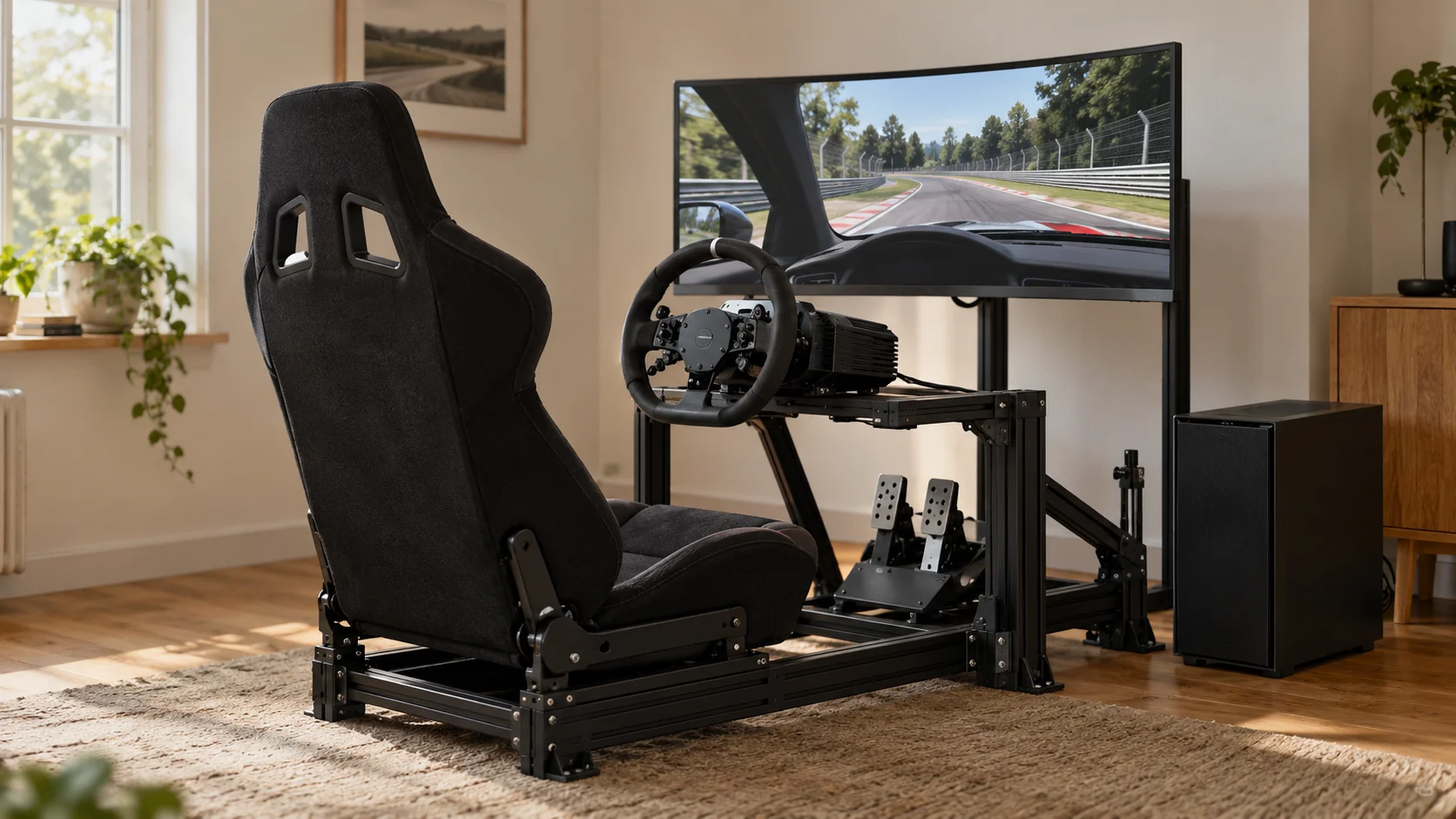
Prices and availability are dated references; check current offers and fit before purchasing. Independent specialist review has not been completed. No affiliate links are active. The cover is a generated editorial illustration of a generic setup, not a photograph of the exact recommended models or evidence of a test.
For the alternative base specifications, see the MOZA US wheelbase range and Simucube configurator. Read our editorial policy and affiliate disclosure. Report changed specifications or prices to contact@iplie.com.